













AudioQuest Dragonfly Copper


AudioQuest Dragonfly Copper
Couldn't load pickup availability
Free Shipping On All Orders, No Minimums.
We offer free 2-day shipping on most products within the continental US.
Weekdays - Orders placed by 2pm EST ship same day. Orders placed after 2pm EST will ship the following business day.
Weekends - Orders placed on Saturday and Sunday will ship Monday.
Orders requiring motor freight delivery may take more than two business days. Once your order has shipped, you'll receive a shipping confirmation email with a tracking number for easy tracking.
Orders for Open Box products ship with free ground shipping within the continental United States.
Orders that contain items that are currently backordered, special order, or out of stock will ship complete once all items are in-stock unless otherwise requested.
If you need it faster, you will have the option of choosing a quicker shipping option when you checkout on the website.
At this time, we do not ship internationally and orders to Hawaii and Alaska may incur an additional shipping charge. Please contact us at 888.899.8776 or email support@audioadvice.com to confirm.
Rerouting and Address Changes
We cannot make ANY address changes once an order is placed. If you are unable to accept delivery of your package as ordered, we will need to cancel your order, return the package to sender and have you replace your order through our website.
Keep the Box
We suggest you keep the shipping box or boxes for at least 30 days. It is actually a great idea to keep boxes for audio products for the life of the product. Having the box and all packing will increase the trade-in value should you decide to move up and they are handy to have should you ever need to send the unit in for repair.
How To Receive a Motor Freight Order
The trucking company will contact you to schedule a convenient time to deliver the order. Please note that you must be present for delivery.
Visually inspect the box to make sure you see no signs of damage. If you notice any damage at all, take some pictures with your phone and make a note of them on the delivery receipt the driver will ask you to sign. If it is obvious that the product is damaged, please refuse the order and contact us immediately at 888.899.8776 or email support@audioadvice.com.
Open your box as soon as possible and inspect the product for damage and contact us if you find anything wrong.
FedEx Freight Service Comparison
| Feature / Service | Scheduled Curbside Delivery | White Glove Delivery |
|---|---|---|
| Scheduled delivery appointment | ✔ | ✔ |
| Delivery location | Ground level only (garage, front door, loading dock) | Room of choice, any floor |
| Delivery team | 1 person | 2 people |
| Placement inside home/business | ✘ | ✔ |
| Upstairs / downstairs delivery | ✘ | ✔ |
| Unpacking | ✘ | ✔ (upon request) |
| Packaging removal | ✘ | ✔ (upon request) |
| Assembly / installation | ✘ | ✘ |
| Old item removal | ✘ | ✘ |
At Audio Advice, we pride ourselves on customer satisfaction. We'll bend over backward to make sure you're 100% satisfied and we won't accept anything less. We offer 30-day hassle-free returns and personalized service from real, live people.
If an item doesn't meet your expectations, you may return or exchange it in its original condition and packaging within 30 days for a full refund, minus shipping fees. Items shipped back in like new condition through standard shipping carriers will incur a minimum $15 return shipping fee. If the items were initially shipped through free scheduled delivery via motor freight (commonly referred to as LTL), returning them will result in return shipping fees starting at $150. These items include but are not limited to, oversized items such as TVs, certain subwoofers, floorstanding speakers, furniture, and most items weighing over 75 pounds. Return fees will also apply for exchanges. We want to treat your system as if it is our own and want you to be completely satisfied with your purchase.
Please see the instructions below. We only accept returns for any product purchased directly from our website. If merchandise is not returned in its original condition or is missing packaging, manuals, accessories or other parts, or the resale value of the product has been impaired, a partial refund will be given and calculated on a case-by-case basis.
Non-Returnable Items
The following items cannot be returned or cancelled:
- Special/Custom Order Items
- Gift Cards
- In-ear headphones cannot be returned once the packaging has been opened due to personal hygiene reasons. Please contact our customer care team if you'd like help choosing.
-
Turntables With a Broken Stylus: All turntables ship out with the stylus intact. If you return a turntable or phono cartridge with a broken or missing stylus you will be subject to a return fee. Please be careful when setting up your turntable and contact us with any questions.
Is It Easy To Return An Item?
Yes, simply give us a call at 888.899.8776 or you can email our support team at support@audioadvice.com. Many times our team of experts can help figure out why the product might not be working like you expected and get things fixed over the phone, so don’t be surprised if we ask a few questions, we love troubleshooting!
If our tech help can not make you happy, we will email over a return shipping label with a Return Number.
Hopefully, you saved all of the original item’s box and packaging inserts. You will want to pack back up your return or exchange in the same way it came out of the original box. Once you have everything packaged correctly, tape the box on the top and bottom to assure it stays together. If Audio Advice shipped the item to you inside a second box, it's a good idea to use that same extra box to help prevent damage on its way back to us. To avoid it accidentally coming back to you, use a magic marker to cross out the old shipping label or just tear it off.
The return shipping label we send you will have our address on it, just make sure you take the box to the right shipper (UPS, FEDEX, or USPS) as per the label.
If you are close to one of our stores, please let us know if it is more convenient for you to return it to us directly. You will still need to get a return number by contacting us and shipping and/or restocking charges may apply.
When Will I See My Refund?
It usually takes around 7-14 days for the refund to show up on the payment method you used. We do inspect all returns for damage and accuracy of the item inside the box before issuing a refund. Some items may be subject to shipping and restocking fees.
Can I Exchange My Purchase For Something Different?
Sometimes those big speakers just don’t fit in the room or you might have bought a small subwoofer and later found out you’d love a bigger one. If you would like to make an exchange within 30 days of receiving your item, just give us a call at 888.899.8776 or email support@audioadvice.com and we will help work out the details. Additional shipping charges and return costs may apply.
How Do I Cancel An Order?
If the item has already shipped out or is a special order item, it is not possible to cancel the order. Please contact us at 888.899.8776 or email support@audioadvice.com to start the return process.
What If I Find Shipping Damage?
We need to know right away about any shipping damage. Please contact us at 888.899.8776 or email support@audioadvice.com within 48 hours of your delivery so we can get the ball rolling on making things right. It’s very helpful to take some pictures and email them to us if possible.
Can I Refuse A Shipment?
You can, but unless the item is damaged, shipping and restocking fees will be deducted from your refund. If your item arrives damaged and you are lucky enough to be there, snap some quick pics and refuse the order. Then contact us so we can get a replacement on the way.
What Happens If My Order Is Defective?
This is actually pretty rare, most consumer electronics work fine out of the box 99.9% of the time. We’d like for you to contact us first by calling 888.899.8776 or email support@audioadvice.com so we can help get to the bottom of things. If your item is indeed defective during the first 30 days, we can usually exchange it for a new, replacement unit.
What About Service After 30 Days?
Audio Advice has a great relationship with all of our brands and can help you with warranty service by the brand after our 30-day guarantee period. Even after the warranty expires, we can arrange for service by the brand on products purchased from Audio Advice. Just call 888.899.8776 or email support@audioadvice.com.
How Do You Determine A Restocking Fee?
You may not believe it, but sometimes we receive items back that were put in the box with zero packaging and are completely destroyed or are missing many of the pieces that came with the item. We also track serial numbers and will get back different serial numbers. We’ve even seen different items than what we shipped out be returned. However, it’s very important to package your return properly so that nothing goes missing or gets damaged in shipping, which will result in a restocking fee or even no refund at all. If a product is opened and the market value of the product is reduced, then a restocking fee may be applied to the cost of restocking and the reduced market value of the product. The bottom line is if you treat us fairly, we will do the same.
Audio Advice strives to provide industry-leading support and service while also maintaining the lowest prices available on products for our customers. We work hard with our vendors to bring our customers the best products at each price point. As a part of that process, we work with our vendors to provide the lowest pricing in our stores and on our website.
Our prices should always be the same as any other authorized dealer, including big-box retailers and major online retailers.
If you believe that you have found a lower advertised price from a legitimate authorized seller, call us and let us know so we can make sure we can correct any inadvertent error on our side. As a matter of policy, we update our prices automatically if a vendor changes its authorized pricing policies, so we generally have the best prices all the time. Increasingly, there are knock-off copies of products online, usually sold by non-authorized dealers.
Please be sure that the item meets the following conditions:
- The item is brand new, in stock, and available for purchase
- The item has the identical model number, color, etc as the item on our site.
- The seller is an authorized dealer
As always, our goal is to provide a terrific customer experience, including industry low prices. We appreciate your support.
Overview
The High Notes

Gordon Rankin Design

A Case Engineered, Not Just Styled

More Power, Less Draw
AudioQuest DragonFly Copper: The Next Chapter in a Category-Defining DAC
Company & Product Overview
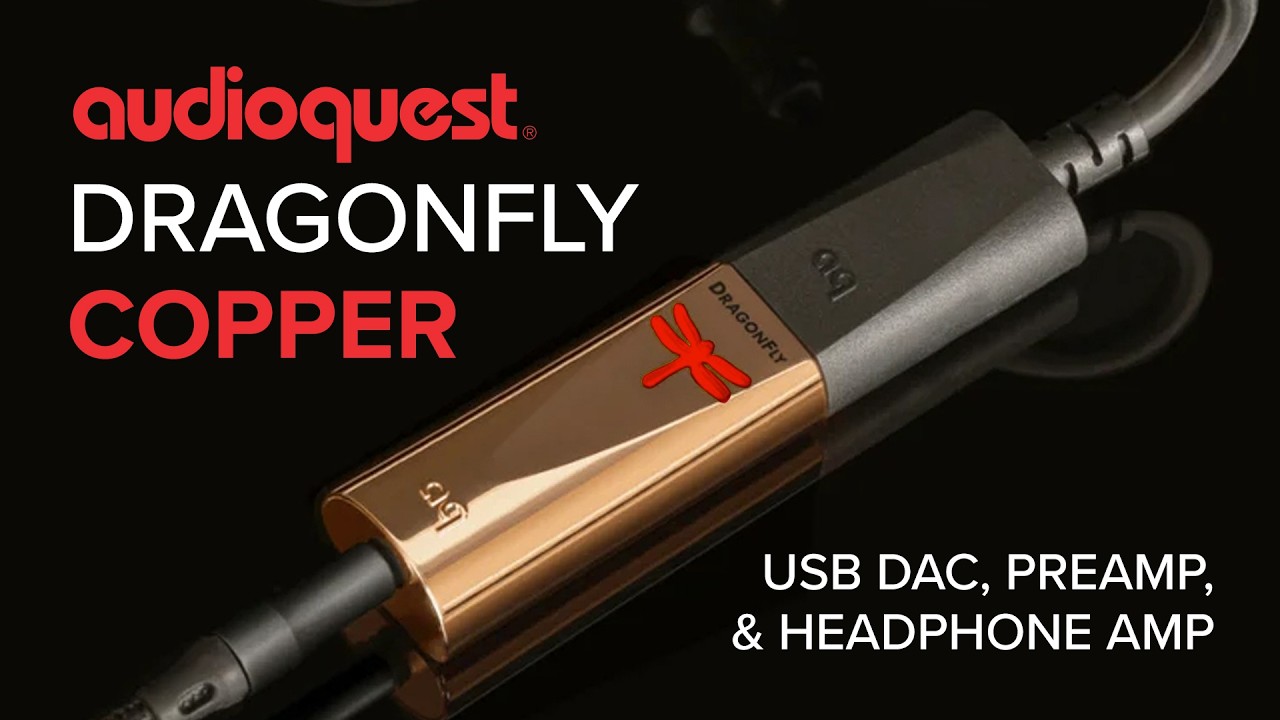
Before we get into what's new, let's cover what a DragonFly actually is, since not everyone reading this will already know. The DragonFly Copper is a USB DAC (digital-to-analog converter), preamplifier, and headphone amplifier, all built into a small dongle about the size of a USB flash drive. In plain terms, it takes over the job of converting digital music into an analog signal from whatever cheap, compromised chip is already inside your laptop, phone, or tablet, and does that conversion far better. It also adds real amplification power to drive good headphones properly, something most built-in headphone jacks simply can't do well. Plug it into a USB port, connect your headphones or a cable to your speakers or amp, and the sound coming out the other end is noticeably cleaner, more detailed, and more powerful than what that same device could produce on its own.
At Audio Advice, we have been fans of AudioQuest products for almost 40 years. Bill Lowe, the founder of AudioQuest, is a huge music lover who constantly pushes the AudioQuest team to innovate to improve sound. It's been seven years since AudioQuest last refreshed its flagship portable DAC lineup, and the wait is finally over with the arrival of the DragonFly Copper.
If you've followed the DragonFly story, you know it started back in 2012 with a single, computer-only USB stick that helped create the entire "dongle DAC" category, followed by a revised v1.2 in 2014. The Black and Red arrived together in 2016 with smartphone compatibility, and the Cobalt followed in 2019 as the flagship of the line. Since then, more than 300,000 DragonFlies have found their way into music lovers' bags and desktops around the world.
Designer Gordon Rankin, the same engineer behind every DragonFly to date, had Copper development underway before COVID brought everything to a halt. Now, seven years after Cobalt, Copper picks up where that development left off, into a personal audio market that looks very different than it did in 2019. iFi, FiiO, Astell&Kern, and several other companies now build their own dongle DAC/amps, chasing the same goal of improving on-the-go sound. AudioQuest is betting that Copper's combination of engineering pedigree and that signature "naturally beautiful" DragonFly sound still has a place in that crowded field. AudioQuest has already discontinued the Black and Red, and dropped Cobalt's price now that Copper is the flagship. Add in the fact that Copper's selling price is less than Cobalt's was in 2019, and we think they have another winner on their hands.

Design & Build Quality
Like every DragonFly before it, the Copper looks like a slightly oversized USB stick. It plugs directly into a USB-A port, with an included DragonTail USB-C adaptor in the box for phones, tablets, and modern laptops. There's no power cord to worry about. It draws its power straight from the USB connection, and according to AudioQuest, Copper draws 25% less current from its source than Cobalt did, which should be welcome news for anyone running it from a phone battery.
The headline design change is right there in the name. Copper's case is copper-plated, and according to AudioQuest's engineering team, that wasn't a cosmetic decision made after the fact. The material was chosen specifically for its RF-noise-draining properties, borrowing design thinking from the RF-draining barrels used in AudioQuest's Mythical Creatures interconnect line. Copper conducts radio-frequency noise away from the signal path more effectively than the polymer, brass, zinc, or aluminum previously used across the DragonFly family, and the name followed the material choice rather than the other way around.
Practically speaking, Copper measures a compact 2.24 × 0.75 × 0.47 inches (19mm W x 12mm H x 57mm L), keeping it just as pocketable as its predecessors, and the familiar color-coded logo returns to show you sample rate at a glance: red for standby, green for 44.1kHz, blue for 48kHz, yellow for 88.2kHz, and light blue for 96kHz.

Features & Technology
Copper is built around a new ESS Sabre ES9218 chip, a 32-bit integrated DAC and headphone amplifier. Compared to the outgoing Cobalt, AudioQuest says Copper delivers twice the headphone output power of any previous DragonFly while measuring as the quietest (lowest distortion) model the company has built. It still outputs 2.1 volts from its analog headphone/preamp jack, enough to comfortably drive a wide range of headphones and to feed directly into a power amp or a pair of powered speakers, just like the Cobalt before it.
True to AudioQuest's long-standing philosophy for this product line, Copper deliberately caps out at 24-bit/96kHz over "Full Speed" USB rather than chasing the ultra-high-resolution specs some competitors advertise. AudioQuest has always treated this as a considered engineering choice rather than a limitation, prioritizing implementation quality over spec-sheet numbers. Copper handles MP3, AAC, FLAC, ALAC, WAV, and Hi-Res files.
One nice bit of continuity for existing AudioQuest owners: Copper is compatible with the JitterBug USB noise filter used in series or in parallel, a pairing that wasn't always ideal with Cobalt since that model had already built in similar filtering internally. Copper works with Windows, Mac, iOS, and Android without additional drivers, meeting standard USB Audio Class specs. It also works with Linux, though AudioQuest doesn't officially support that platform or publish specs for it. Like every DragonFly, volume is controlled from your source device rather than the DAC itself.
Where Copper Fits In Your System
One of the best things about a DragonFly is how many different ways you can put it to use. A few of the most common:
On the go. Plug Copper into your phone or laptop with a good pair of headphones, and you get a real upgrade over the built-in headphone output almost anywhere: on a flight, at a coffee shop, or just at your desk during the workday.
Feeding powered speakers. Copper's 2.1-volt output is strong enough to run directly into a pair of good powered desktop or bookshelf speakers, skipping right past your computer's weak internal sound card entirely. This is one of the simplest ways to dramatically improve a desktop or work-from-home listening setup without buying a separate amplifier.
Laptop into an integrated amp. If you've got a real stereo system with an integrated amp, Copper is an easy way to use your laptop as a serious source. Run Copper from a USB port into an open analog input on your integrated amp, and you've turned your laptop's music library or streaming service into genuine hi-fi source material.
A few other places it earns its keep: connected to a home theater receiver's analog input to clean up sound from a laptop or tablet during a movie night; paired with a portable DAP or phone for higher-resolution streaming from services like Tidal or Qobuz while traveling; or simply left plugged into a home office computer as a permanent, always-better replacement for the built-in audio jack.

Setup Tips for Best Sound
A few setup details make a real difference with Copper, and they're easy to miss.
Windows: After plugging in Copper, open the Sound control panel and set "AudioQuest DragonFly Copper v1.0" as your default device. In Properties, disable all Enhancements, set the Advanced default format to 24-bit, 44100 Hz, and check Exclusive Mode for both options. Turn Spatial sound off too, or Windows resamples the signal before it reaches the DAC.
Mac: In System Settings > Sound, select DragonFly as your output, and route sound effects to your internal speakers so notification dings don't come through your headphones at full volume. For more control over sample rate, Audio MIDI Setup (Applications > Utilities) lets you select it directly.
Mobile: Drop your device volume to around 50% before opening a music app, since Copper's preamp adds real amplification on top of whatever the phone is already doing. If Copper still sounds quiet on an Android device afterward, that's usually a hardware issue rather than a setup mistake: some Android phones don't fully follow the USB Audio Class spec, and AudioQuest recommends the USB Audio Player Pro app as a fix.
Performance
Here's how it sounds. What surprised me most about Copper is that the extra clarity doesn't come from pushing the top end forward. It sounds a little richer than Cobalt to me. There's more weight behind the music, especially through the bass and lower midrange, but at the same time everything feels easier to separate. On a dense track, individual instruments are more clearly defined instead of competing for the same space.
That was the biggest difference I heard going back and forth with Cobalt. Copper gives the presentation more room to breathe. The soundstage feels wider and more organized, and it's easier to tell where things are sitting within it. Vocals have plenty of presence without jumping too far forward, and instruments have more body without making the overall sound feel thick.
The added power is noticeable too, particularly in the low end. Copper feels more confident driving headphones, with bass that hits harder but also stops and starts more cleanly. It's not just a volume difference. There's more punch behind drums, more definition in bass lines, and bigger dynamic swings land harder.
Up top, Copper stays relaxed. There's still plenty of detail and you can hear texture in cymbals and higher frequencies, but it doesn't try to impress you by making everything brighter. You can listen for a long time without the presentation getting tiring.
Copper sounds more refined than Cobalt, not radically different. It still has that smooth, easygoing DragonFly character, but there's more power behind it, better definition throughout the low end, and a bigger, more organized presentation. Cobalt is still very good, but going back and forth, Copper sounds like the more complete DAC.
Overall Recommendation
At $250, Copper makes the most sense for someone who wants good headphone and two-channel sound without another battery, screen, app, or box to carry around. You plug it in, select it as your audio output, and you're done.
If you already own Cobalt, I wouldn't say Copper suddenly makes it obsolete. But Copper does sound like the more capable product. Whether that's worth replacing a Cobalt you already own depends on your headphones and how often you use it. If you're coming from an older DragonFly Black or Red, both of which AudioQuest has now discontinued, or you've never owned one at all, Copper is a much easier recommendation. AudioQuest built its new flagship with more power and less noise, and launched it fifty dollars under Cobalt's original price.
We’re Here to Help!
If you have further questions, contact our experts via chat, phone, or email. Or simply visit one of our world-class showrooms to experience speakers, projectors, TVs, and everything in between for yourself before you make a purchase!
If you’re planning your home theater or media room, check out our Home Theater Design page, where we have everything Home Theater related, including our FREE Home Theater Design Tool.
When you buy from Audio Advice, you’re buying from a trusted seller since 1978. We offer Free Shipping, Lifetime Expert Support, and our Price Guarantee. We look forward to serving you!
Details & Specs
Long Live DragonFly
Since its introduction in 2012, the award-winning AudioQuest DragonFly DAC-preamp-headphone amp has received enthusiastic recommendations from the New York Times, Rolling Stone, and Men's Health while earning glowing praise from the world’s leading hi-fi publications. With more than 300,000 DragonFlys sold worldwide, our little critter has proven capable of disarming even the most rigid audio skeptic.
DragonFly Today
Like all AudioQuest products, the award-winning DragonFly has benefited from gradual refinements made possible by better parts, better materials, and AudioQuest's own insatiable desire for better sound.
DragonFly Copper maintains everything that made its predecessors such a success:
- Beautiful sound from all audio files: MP3 to Hi-Res
- Compatible with Apple® and Windows® PCs, iOS and Android devices
- Drives Headphones; Feeds Preamps, Amps, and Powered Speakers
- Phone, tablet, or computer controls the output level
- Meets all USB Audio Class (UAC) standards; requires no additional drivers
- Dragonfly emblem changes color to indicate playback status and the sampling rate of the file being played: red (standby), green (44.1kHz), blue (48kHz), yellow (88.2kHz), light blue (96kHz)
Compared to previous DragonFlys, Copper offers:
- 2x greater output power
- 25% lower current draw
- High-conductivity copper-plated case for improved RF-noise drainage
Power, Efficiency, Beauty
AudioQuest's careful selection of a new 32-bit ESS Sabre DAC/headphone amp allowed for the implementation of a slightly smaller processor than the one employed in previous designs. In turn, power consumption was reduced by about 25% while significantly improving overall supply-chain efficiency. AudioQuest was able to do more with less.
DragonFly designer Gordon Rankin then did what he does best: He optimized the new DragonFly parts for ultimate performance, reducing distortion to a level significantly below that of previous models.
Drawing 25% less current and delivering two times as much output power as any previous DragonFly, Copper is the most powerful and efficient DAC AudioQuest has ever produced. Its new copper case, informed and inspired by the RF-draining barrels of AudioQuest's Mythical Creatures interconnects, isn’t merely gorgeous, but, like every other aspect of the DAC’s design, has been implemented for improved performance.
We believe AudioQuest DragonFly Copper faithfully carries forward the esteemed legacy of the DragonFly family, and we hope it introduces many more listeners to the immersive, emotionally compelling musical experience that hundreds of thousands of DragonFly owners have already enjoyed.
Key Features
- Beautiful sound from all music files: MP3 to Hi-Res
- Compatible with Apple® and Windows® PCs, iOS and Android devices
- Drives Headphones; Feeds Preamps, Amps, and Powered Speakers
- Phone, tablet, or computer controls the output level
- Meets all USB Audio Class (UAC) standards; requires no additional drivers
- Dragonfly emblem changes color to indicate playback status and the sampling rate of the file being played: red (standby), green (44.1kHz), blue (48kHz), yellow (88.2kHz), light blue (96kHz).
- Includes form-fitting DragonTail USB-A to USB-C adaptor
- Travel-friendly dimensions: 19mm W x 12mm H x 57mm L


