
madVR Envy Core, Pro, & Extreme Video Processor Buyer’s Guide

youtube cover image
Play

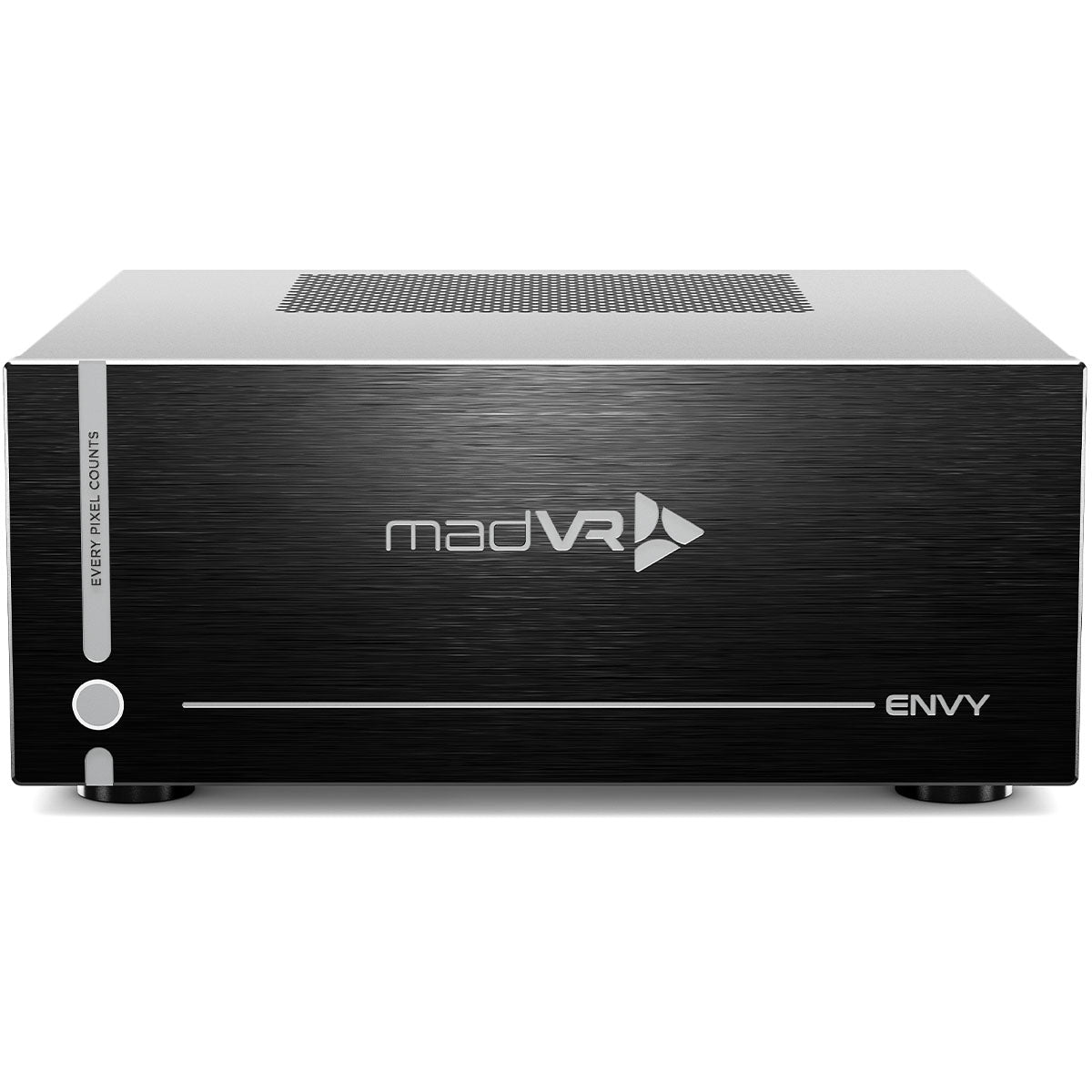
When it comes to high-end home theaters, picture quality is everything. You can invest in the best projector, the finest screen, and a perfectly tuned sound system, but without the right video processing, you’ll never see your movies and shows at their full potential. That’s where the madVR Envy comes in. The Envy is a dedicated video processor designed to handle the most demanding tasks like HDR tone mapping, scaling, aspect ratio management, motion smoothing, and professional calibration. While your AVR, projector, or source may attempt these tasks, nothing compares to the power of a purpose-built processor like the Envy.

With the release of the new Envy MK3 lineup and the Core MK2, madVR Labs has introduced its most advanced processors yet. These models bring state-of-the-art performance, advanced gaming features, and future-ready AI algorithms to the world of home cinema. In this guide, we’ll take a deep dive into what makes the Envy so special, walk through the features in detail, explain what’s new in the MK3 and Core MK2, and help you decide which model is right for your system. To make it easier to follow along, we recommend reviewing the detailed model comparison chart to see which models include which features.


What’s New in the Envy MK3 and Core MK2

If you already have a good understanding of what madVR Envy’s are capable of and just want to see what’s new, we have it listed below. However, if you aren’t familiar with their capabilities, we recommend reading on as we delve into the features and technology they offer.

The latest generation of Envy processors represents the most significant leap forward since the product launched. The Envy Extreme MK3 is powered by the new Nvidia 5080 GPU, which delivers extraordinary processing power and efficiency compared to the 4080 and 3080 used in earlier models. The Pro MK3 and Core MK2 both feature the Nvidia 5060 GPU, which provides a major performance boost while maintaining excellent cooling and efficiency.

All MK3 models now feature full HDMI 2.1 support with 48 Gbps input and output. This ensures compatibility with today’s and tomorrow’s highest-bandwidth signals, including 8K, 4K120, and full 12-bit 4:4:4 support. Even more exciting, the MK3 and Core MK2 lineup introduces Variable Refresh Rate, with the Extreme MK3 supporting VRR up to 360 Hz for high-end PC gaming. That means for the first time, an Envy can pair with modern systems like the PlayStation 5 Pro, Xbox Series X, and gaming PCs to deliver smooth, low-latency gameplay while maintaining reference-level video processing.

Older Envys introduced about 220 milliseconds of delay, which was fine for movies but too high for gaming. The new models cut that dramatically, so gameplay feels far more responsive while still giving you the Envy’s incredible HDR tone mapping and color processing. And it’s not just the new lineup — all Envy units manufactured since late 2020 with HDMI 2.1 outputs will also get VRR on the output side via firmware. Of course, if you’re a competitive gamer you’ll probably still prefer a dedicated gaming monitor, but now you can leave the Envy in the chain for both movies and games without compromise.

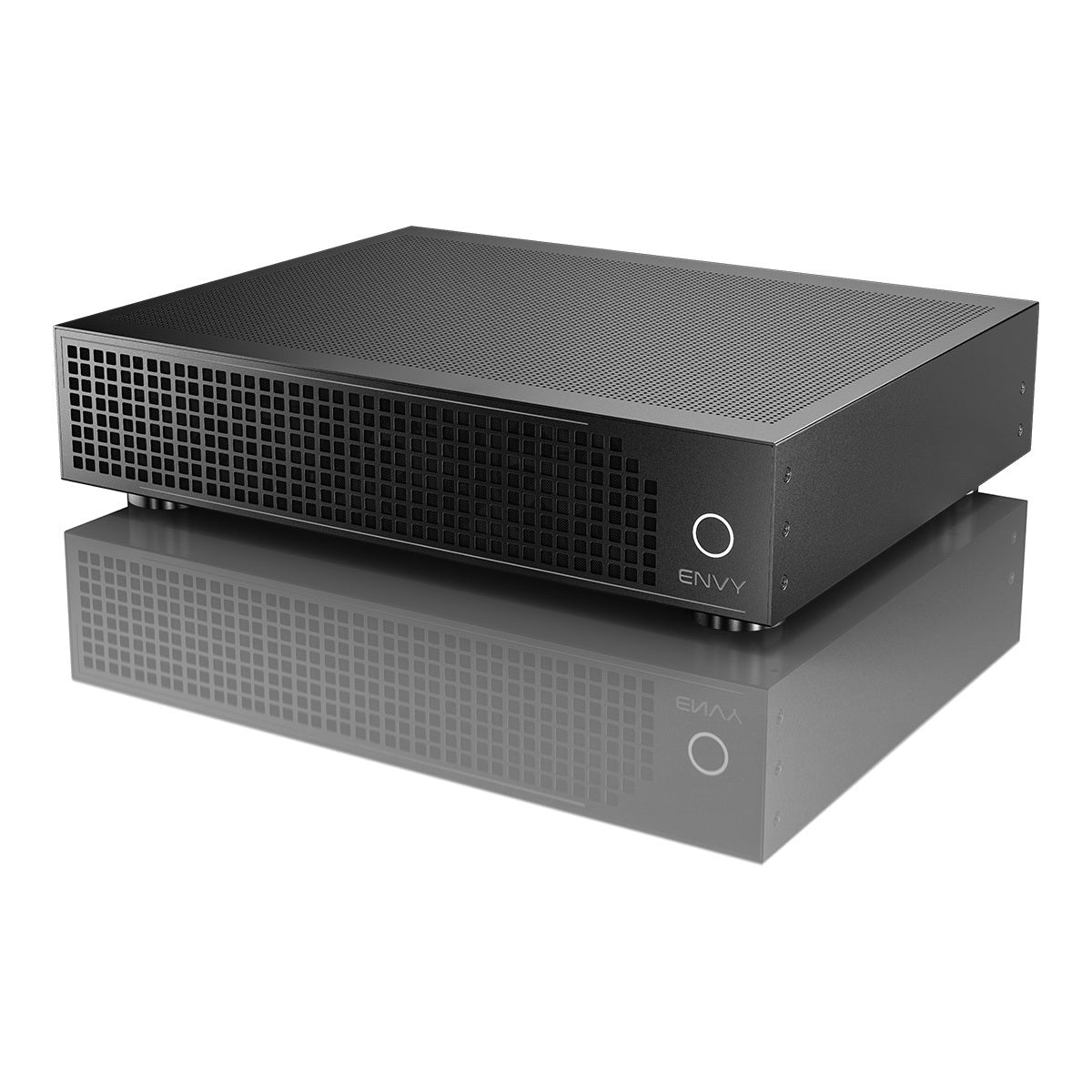
Hardware improvements carry forward in the Pro MK3 and Extreme MK3. Both include ECC RAM for rock-solid reliability, expanded memory and SSD capacity, and the Glacier X2 cooling system. This advanced design uses three 140mm and two 120mm static-pressure fans to provide exceptional airflow while staying remarkably quiet, even under heavy load.

The Core MK2 is perhaps the most exciting new option for many home theater owners. It delivers 8K readiness, HDMI 2.1, and an Nvidia 5060 GPU in a compact 2U chassis, making it the most affordable yet future-proof Envy to date. With introductory pricing at $5,995, it offers incredible price-to-performance. For those who want even more, the Core Premium package unlocks advanced features like Dynamic Subtitle Overlay, aggressive low-latency gaming, additional AI processing, and it doubles the warranty from 2 years to 4 years.

The Extreme MK3 also carries forward madVR’s most advanced algorithms, including MotionAI, the industry’s first AI-driven motion interpolation that avoids the soap opera effect, and Geometry Correction, which digitally eliminates barrel and pincushion distortion from anamorphic lenses. It remains the only Envy eligible for future paid hardware upgrades, making it the most future-proof choice for enthusiasts.

Adding to its credibility, the Envy is now the first and only video processor to earn official ISF certification for both 4K and 8K. That means its calibration capabilities and picture fidelity meet or exceed the most rigorous industry standards, ensuring content is shown exactly as the creator intended.


madVR Envy Features

HDR Dynamic Tone Mapping (DTM)

One of the biggest reasons the Envy stands out is how it handles High Dynamic Range, or HDR. You’ve probably heard HDR mentioned alongside things like Wide Color Gamut and 4K resolution. Together, those technologies are designed to create a more lifelike, visually impactful picture. The problem is that most displays simply can’t reproduce the extreme brightness levels that movies and shows are mastered at, and that’s where the Envy makes a huge difference.

Movies and shows are often mastered at brightness levels between 1,000 and 10,000 nits. Compare that to today’s displays and you can see the problem. Many mid-range TVs top out around 600 to 900 nits, while flagship OLED and mini-LED models from Sony, Samsung, and LG can reach between 1,500 and 2,500 nits in small highlights. That is impressive, but it is still far below the levels used in mastering. Even more importantly, no consumer TV can sustain that kind of brightness across an entire scene. Projectors face an even bigger hurdle, since most only produce between 50 and 150 nits on screen, which is far below the reference mastering level.

This gap is where tone mapping comes in. To make HDR viewable at home, the content has to be mapped down into the brightness range of your display. Early approaches relied on static tone mapping, where a single curve was applied across an entire movie or show. The result was often an image that looked too dark in one scene and too bright in another, with details either crushed in the shadows or clipped in the highlights.

The Envy takes a completely different approach with Dynamic Tone Mapping. Instead of applying one static curve, it analyzes every single frame in real time and uses advanced algorithms to adjust the picture based on both the source material and the actual nit level of your display. You simply input your display’s peak brightness, and the Envy does the rest, customizing the output so your theater always gets the most accurate and impactful HDR possible.

MadVR Display Configuration screenshot
Dynamic Tone Mapping illustration

Even better, every current Envy model, from the Core MK1, Core MK2, Pro MK3, all the way to the flagship Extreme MK3, delivers the same HDR feature set. That means you get frame-by-frame 4K HDR dynamic tone mapping, selectable HDR “Looks” to suit your preferences, and easy controls for highlight and global saturation. You also get advanced recovery tools that maximize performance, including Contrast Recovery, Highlight Recovery for fine details in bright scenes, and Shadow Detail Recovery that preserves subtle information in dark areas.

HDR Settings screenshot

The results are dramatic. Before adding the Envy, it was common to run into scenes that felt dull or unbalanced, with whites blowing out or blacks disappearing into mush. With the Envy in the chain, highlights retain their detail, shadows stay rich and nuanced, and the overall picture has the kind of depth and dimensionality HDR was meant to deliver.

Harry Potter scene with the Projector’s DTM
Harry Potter scene with the madVR Envy’s DTM

To put this into perspective, look at the example from a Harry Potter film. On a high-end projector without the Envy, a lightning bolt striking Harry’s hand appears as a bright white blob with no detail or color. With the Envy engaged, that same bolt reveals texture, color, and gradation, while the faces in the scene, once washed out, suddenly become fully visible with natural detail. The same improvement happens on the darker end of the spectrum, where shadow detail is preserved instead of disappearing.

In short, the Envy’s Dynamic Tone Mapping does not just make HDR viewable in your system. It unlocks its full potential.


Aspect Ratios Management

Another feature we use often and really appreciate is Aspect Ratio Management. Movies and shows come in many different aspect ratios. Some are 16:9, which is the standard for most TV and streaming, others, like many Netflix productions, use 2.00:1, and most big Hollywood films are 2.40:1. This wide variety of formats can create some challenges.

If you have a 16:9 display and watch a widescreen movie, you will notice black bars at the top and bottom of your screen. The Envy solves this by allowing you to automatically move the image up or down, eliminating one of those black bars so the picture feels more natural.

Wide screen with black bars
Widescreen without black bars

The bigger benefit comes for people with scope or widescreen projection systems. Without the Envy, you are likely relying on your projector’s lens memory to switch between aspect ratios. That process can take ten to twenty seconds, and because lens memory positions can drift over time, the result is often imprecise. With the Envy, the image is scaled to fill the full height of your screen automatically and instantly. For many viewers, having the Envy automatically adjust aspect ratios makes movies far more enjoyable and immersive. But it is worth noting that some enthusiasts prefer to see the shifting aspect ratios exactly as the director intended, especially in films by Christopher Nolan or IMAX sequences, where the changing frame size is part of the artistic choice. The nice thing about the Envy is that it gives you both options. You can let it handle everything automatically for convenience, or you can configure it to preserve the original presentation if you want the purist experience.

16:9 aspect ratio
2:4 aspect ratio

Perhaps even more importantly, if you are watching a 2.40:1 movie zoomed to fill your screen’s width and you hit the player’s Pause button to fast forward, find a time stamp, or select a different scene, those on-screen display elements are typically formatted in 16:9. Without the Envy, they spill over onto the screen’s frame or even the wall behind it, making them difficult to use. With the Envy, they are instantly recognized, and the image is automatically rescaled so that all on-screen elements are always visible. In practice, this comes up almost every time you watch a movie and ends up being one of the most useful features.


Non-Linear Stretch

Whenever there is a difference between the aspect ratio of the content you are watching and the aspect ratio of your screen, black bars will appear. Watching 16:9 content on a 2.40:1 screen results in pillarbox bars on the sides, while watching 2.40:1 content on a 16:9 screen results in letterbox bars at the top and bottom. In both cases, part of the screen space is unused, and many people want an option to fill the entire screen regardless of the aspect ratio.

The Envy provides a simple and effective way to reduce or even eliminate those black bars. Its well-designed graphical interface lets you make adjustments and see the results in real time. You can configure these settings for any aspect ratio you want, and the Envy will automatically apply them every time.

In many of the theaters we design and set up, we configure the Envy to slightly crop the top and bottom of the image, since those areas usually contain little to no important content. From there, the Envy applies a very subtle stretch toward the outer edges of the picture while gently compressing other areas. Because the main action stays centered, your eye is not drawn to the adjustment, and the result looks completely natural.

The effect is especially impressive during live sports. Nearly all games are broadcast in 16:9, which leaves large black bars on the sides of a widescreen. With the Envy’s Non-Linear Stretch, those bars disappear and the screen fills edge to edge, creating an immersive, stadium-like experience. During a big event like the Super Bowl, this transforms the way the game feels in your theater.

Ultimately, this comes down to personal preference. Some enthusiasts prefer to keep the original aspect ratio exactly as it was framed, while others enjoy filling the entire screen for maximum immersion. The best part about the Envy is that it gives you a choice. You can set it up to preserve the director’s original composition, or you can configure it to expand the image in a way that looks natural and takes full advantage of your screen.


Anamorphic Stretch

Many home theater owners use anamorphic lenses to enhance image quality when paired with scope screens. The challenge is that most projectors only provide two anamorphic modes of processing: one for 16:9 content and another for 2.40:1 content. There are no in-between options, which creates problems when trying to view menus, subtitles, or shows that use aspect ratios other than those two standards.

The Envy solves this by handling anamorphic scaling automatically and optimally. No matter what aspect ratio you are watching, the Envy analyzes the signal and applies the correct scaling so the image looks natural and properly framed. It essentially provides an unlimited number of anamorphic modes that projectors alone cannot match. The result is a seamless experience where content of any format is displayed exactly as it should be, without you needing to intervene.


Subtitle Management

If you watch a lot of foreign films on a 2.40:1 widescreen, you have probably run into the issue of subtitles being placed below the active picture. When you adjust the image to fill your widescreen, those subtitles disappear into the black bar, forcing you to switch back to 16:9 just to read them. That not only interrupts the experience but also shrinks your image dramatically.

Envy gives you two solutions. First, it can slightly resize the picture automatically so subtitles are brought back into view. This works well and requires no extra button presses, so the movie keeps flowing and your widescreen stays filled.

The bigger breakthrough though, is Dynamic Subtitle Overlay (DSO). Instead of shrinking the image, DSO moves subtitles into the active picture area only when they would otherwise fall in the black bars. It keeps your full image height and constant image width, then intelligently refines how the text appears. DSO can lower subtitle brightness to reduce glare, reduce size so the text covers less of the image, and even adapt subtitle color so it blends with the scene while staying easy to read. So, if you enjoy foreign films, anime, or any content with frequent subtitles, DSO is a game-changer. It’s included on Envy Pro and Envy Extreme, and is available for Core owners with the Core Premium package.

Example of DSO in action: subtitles automatically moved out of the bottom black bar, reduced in size, and adjusted in brightness and color to blend harmoniously with the scene—all while ensuring exceptional readability.


Geometry Correction

An anamorphic lens is frequently used with a scope screen to increase brightness and pixel density, which improves picture quality. However, it also introduces unwanted distortion. The sides of the image may bow outward, known as barrel distortion, or inward, known as pincushion distortion. These issues can be distracting and are difficult to correct with standard projector adjustments.

The Envy Extreme is the only model equipped with Geometry Correction, a feature that fully eliminates both barrel and pincushion distortion to deliver a precise fit between the image and the screen. Using a grid of anchor points, you can make fine adjustments across the picture until every edge lines up perfectly. The result is a clean, accurate image free of warping, even in challenging installations.

Screen Configuration screenshot

This feature is not just for anamorphic lenses. It can also correct geometry problems caused by projector misalignment, uneven walls, trapezoid effects from angled placement, or the unique challenges of curved screens. In all of these cases, the Envy Extreme’s Geometry Correction ensures the image remains sharp, consistent, and perfectly aligned across the entire surface.

We tested this feature in one of our theaters and found it worked exactly as described. Setup was straightforward, and the difference was immediately noticeable. Once you experience a perfectly aligned image without distortion, it becomes hard to go back to watching without it.


3D LUT

The capability to have your system professionally calibrated, using software such as ColourSpace and Calman, is built into the Envy, supporting 256-point LUTs. This provides a powerful way to get the most accurate image possible in your Theater.


Which One Do You Need?

The best part is that all current Envy models include the full suite of Aspect Ratio tools. That means every version, including Core MK1, Core MK1 with Premium Pack, Core MK2, Core MK2 with Premium Pack, Pro MK3, and Extreme MK3, can automatically detect aspect ratios and black bars, including IMAX framing, apply bi-directional non-linear stretch on both scope and 16:9 screens, shift black bars for constant image width setups, and even use AI anamorphic stretch to upscale content. Subtitles are also handled intelligently, with the Envy dynamically resizing the image so text stays visible without disrupting the presentation.

If you step up to a Pro MK3, Extreme MK3, or add the Premium Pack to the Core MK1 or Core MK2, you unlock Dynamic Subtitle Overlay, which lets the Envy reposition and even dim subtitles without resizing the main picture. Premium also enables automatic lens memory activation on supported JVC and Sony projectors via IP control, making switching between formats even more seamless.

At the very top, the Extreme MK3 adds Geometry Correction, a unique feature that can digitally correct barrel distortion from anamorphic lenses, align images on curved screens, or compensate for off-axis projector installs. It is the only model in the lineup with this level of flexibility, which can be a game changer in complex theaters.


Motion Handling, Upscaling & Deinterlacing

One of the most critical jobs of a video processor is to take content in any format or resolution and present it on your screen with perfect clarity. The Envy lineup excels in this area, using advanced AI upscaling, motion handling, and deinterlacing technologies that preserve fine detail, avoid artifacts, and even breathe new life into lower-resolution sources. Whether you are watching Blu-rays, broadcast TV, or streaming in 4K and beyond, every Envy model delivers reference-level processing, with the higher-tier units unlocking even more powerful AI-driven capabilities.

As any video enthusiast knows, HD content must be upscaled to display properly on a 4K projector or TV. While this upscaling can be handled by the source device, an AVR or pre-pro, or the display itself, these components simply do not have the horsepower to match the Envy. To our eyes, the Envy makes HD material look almost as sharp and detailed as native 4K.

All models also include sharpening and edge enhancement tools, as well as texture detail enhancement, giving you the ability to fine-tune the picture exactly to your preference. In practice, we have found that adding just a touch of sharpening to upscaled HD content creates a clear boost in detail, while light noise reduction makes older, grainier movies significantly more enjoyable.

When you step up to the Premium package for the Core MK1 or Core MK2, or choose the Pro MK3 or Extreme MK3, you unlock even greater flexibility. These models add support for upscaling to 5K24/50/60, 8K24/60, and virtually any custom resolution up to 8K60. They also introduce a set of advanced AI-driven refinements, including AI compression artifact reduction, AI grain and noise reduction, banding reduction, and ringing reduction. And with the Extreme MK3, you also get MotionAI.


MotionAI

One of the most exciting features in the Envy lineup is MotionAI, designed to solve one of the biggest challenges in cinema: the judder and stutter you often see during slow pans or fast camera movements in 24 frames-per-second films. This effect can be distracting and even fatiguing on the eyes. Traditional motion interpolation has tried to address this, but it often introduces the artificial “soap opera effect” that makes movies look overly smooth and unnatural.

MotionAI takes a completely different approach. Using advanced AI-driven algorithms, it analyzes every pixel with precision, delivering smoother motion and sharper detail while preserving the film-like quality enthusiasts demand. The result is a picture that feels more natural and immersive, whether you are watching action sequences, live sports, or subtle panning shots.

In our own testing, MotionAI provided a dramatic improvement in both motion smoothness and sharpness during camera pans, and it did so without altering the cinematic look of the content. While there are still occasional minor artifacts during certain scene transitions, these are being refined, and the overall experience already sets a new bar for motion handling. Once you see what MotionAI can do, it is hard to go back.


Operation & Setup

With so many advanced features, you might expect the Envy to be difficult to set up. In reality, it’s the opposite. Installation is straightforward: plug the Envy into your network, connect HDMI from your receiver or processor into the Envy, then run HDMI out to your TV or projector. That’s all it takes to get started.

A Quick Start Guide walks you through the basics, and in most cases, you can be up and running in just five to ten minutes. Even with the default settings, the Envy delivers excellent results, so there is no need for technical expertise to enjoy its benefits right away.

If you want to go further, your dealer can configure the Envy for your system and personal preferences. This can be done on-site or through a secure remote connection, where they can walk through the menus and fine-tune settings just as if they were in the room with you. We often handle installations for customers with vacation homes in remote locations, and remote setup has become second nature for our team.


Control

The Envy includes its own remote, which can be set up to use either IR or RF. One of our only complaints with the original Envy remote was the lack of backlighting. That has been solved with the redesigned version, which not only adds full backlighting for use in a dark theater but also introduces extra buttons for greater functionality. It feels great in the hand and makes frequent use much more enjoyable.

Beyond the included remote, madVR has released drivers that allow integration with popular automation systems including Control4, Crestron, Savant, and RTI. We have used the Control4 driver in many theaters and found it to be both reliable and easy to program. For example, we often link Control4 automation with the Envy’s Profile System so that switching between a Roku and a Blu-ray player automatically loads the correct Envy profile without any extra steps for the user.

One of our favorite applications is pairing the Envy with vertical masking systems on scope screens. Control4 reads the aspect ratio directly from the Envy, then sends a command to the masking system to adjust perfectly for the content being played. The result is a seamless and highly polished experience that feels truly professional every time you sit down to watch a movie.


Menu System

The Envy menu system is designed to be both powerful and approachable. It includes on-screen, context-sensitive help that explains what each setting does, making it easier to decide which options are right for your theater. And if you ever run into questions, either our team or even madVR Labs staff can remotely connect to your Envy and walk through the settings as if we were right there in the room, fine-tuning your setup in real time.

While the basic setup and configuration is quick and easy, the Envy also caters to enthusiasts who enjoy diving deeper and customizing every detail. One of the things we really appreciate is how safe it feels to experiment. Many complex devices make it difficult to undo changes, but the Envy uses a smart system of “Active,” “Temporary,” and “Base” designations. Any changes you make start as “Temporary,” and unless you choose to save them, they reset back to your “Base” defaults at the end of your session. If you decide you want a change to be permanent, it only takes a single button press to save it.

Most customers let us handle these settings, but for those who love to tinker, the Envy makes it easy and worry-free to explore different configurations without fear of getting lost or stuck.


Profiles

Every madVR Envy includes a powerful system called Profiles, which lets you group and recall specific configurations and settings with a single button press. For example, in our own theaters we often use a profile that applies aspect ratio adjustments and nonlinear stretch to fill a 2.40:1 screen for everyday viewing. But when we want to watch a 16:9 movie exactly as it was produced, switching is instant—we simply select the 16:9 profile, and all stretching and adjustments are removed for a perfectly accurate presentation.

Profiles screenshot

Profiles also work hand-in-hand with the way the Envy saves settings. Any change you make first goes into a temporary state. If you like the result, you can save it to a profile or commit it to your base settings. The Envy even backs itself up every day, so you never have to worry about losing your configuration while experimenting.

Our team at Audio Advice has set up enough Envys to know how powerful this system can be. After just a few quick questions about your preferences, we can build profiles that match your needs exactly, using the same best practices we rely on in our own theaters.


Firmware Updates

For most people, the madVR Envy is a set-it-and-forget-it component. Once it is installed and configured, it just works. But for those who like to stay on the cutting edge, the Envy makes firmware updates incredibly simple. Updates take just 15 to 30 seconds, happen entirely online, and require only a single button press.

You also have the option to try experimental or beta firmware if you want to preview upcoming features before they are officially released. And if you ever decide to roll back to an earlier version, the process is just as quick and painless. This level of flexibility is rare in high-end AV gear and ensures your Envy is always running exactly the way you want.

Firmware Configuration screenshot

Firmware Update Configuration Example


Roadmap for the Future

One of the most exciting aspects of the Envy lineup is how much headroom the hardware provides for future innovation. madVR Labs has a proven track record of releasing meaningful firmware updates that extend the value of every Envy, and the latest generation only accelerates that pace.

Every current model, from the Core MK1 up through the Extreme MK3, already includes the essentials: DeintAI for intelligent film-mode deinterlacing, a range of undisclosed new algorithms, and continual refinements to core features like tone mapping and scaling. When you step up to a Premium package or a Pro/Extreme model, you gain access to deeper calibration tools such as multi-zone convergence correction, advanced native gamut calibration, and AI-driven HDR tone mapping.

The real breakthroughs, however, live at the top. The Extreme MK3 is designed with massive processing reserves to handle next-generation AI algorithms that no other video processor can match. On the roadmap are features like AI motion-compensated multi-frame noise and grain reduction, AI motion-compensated deinterlacing, AI grain-agnostic sharpening, and ChromaAI, a next-generation chroma upscaling engine. These tools promise to deliver cleaner, sharper, and more natural images than ever before, especially with challenging content such as older Blu-rays, interlaced broadcasts, or heavily compressed streaming sources.

The key takeaway is that the Envy is not a static product. It is a platform built to evolve, and madVR Labs has consistently shown that they view the Envy as a long-term investment for their customers. With the MK3 generation and Core MK2, the stage is set for an entirely new wave of AI-driven video processing capabilities that will continue to raise the bar for years to come.


Which Model is right for me?

Envy Core MK1

The Core MK1 is still available as the entry-level model at $4,995. It uses last-generation hardware without HDMI 2.1 or some of the newest AI features, but it still brings the Envy magic of Dynamic Tone Mapping, aspect ratio management, subtitle handling, and upscaling. For budget-conscious buyers, smaller systems, or UST projectors, it’s an incredible upgrade over relying on your projector or AVR for processing. The Core MK1 can also be paired with the optional Premium Package, which unlocks advanced features like Dynamic Subtitle Overlay, AI-driven artifact and noise reduction, banding reduction, and automatic lens memory activation on supported JVC and Sony projectors.

While the Core MK1 does not include HDMI 2.1, that matters primarily for gaming features like Variable Refresh Rate and 4K120. For movies, TV, and sports, HDMI 2.0 is perfectly fine, so the Core MK1 remains a fantastic choice for home theater owners who are not focused on gaming.


Envy Core MK2

The Core MK2 is the price-to-performance leader. At its price point, it delivers the Nvidia 5060 GPU, HDMI 2.1 with 48 Gbps, 8K readiness, VRR for gaming, and all the Envy features that matter. For most home theater owners, this is the model we recommend. It’s compact at 2U, quiet, and powerful enough for nearly every setup. Adding the Premium Package takes things further, unlocking full 5K and 8K input/output support, Dynamic Subtitle Overlay, expanded AI tools like compression artifact reduction and grain/noise cleanup, plus an extended warranty.


Envy Pro MK3

Here’s where we want to be transparent. While the Pro MK3 offers more power than the Core MK2 and some future AI features, we typically don’t recommend it. For most buyers, the Core MK2 is the smarter choice at a lower price, or the Extreme MK3 is the right step up if you want the ultimate. But if you are unsure, please feel free to reach out to our experts to see if it could be the right fit for you.


Envy Extreme MK3

If you want the best, the Extreme MK3 is the flagship. At $15,995, it delivers the Nvidia 5080 GPU, MotionAI, Geometry Correction, and exclusive future AI algorithms. It’s the only model eligible for future paid hardware upgrades, and with HDMI 2.1, VRR up to 360Hz, and ISF certification, it’s the reference choice for uncompromising enthusiasts.

Conclusion

The madVR Envy remains the ultimate video processor for home theaters, and the MK3 and Core MK2 generation elevate it to new heights. Whether you’re after flawless HDR tone mapping, instant aspect ratio management, immersive subtitle handling, AI-driven upscaling, or advanced motion smoothing, the Envy delivers.

Choosing the right model depends on your budget and needs. The Core MK1 is the most affordable entry point, the Core MK2 is the sweet spot for nearly everyone, the Pro MK3 is not recommended, and the Extreme MK3 is the powerhouse for those who want everything.

At Audio Advice, we’re proud to be the world’s largest Envy dealer with more installations than anyone in the United States. Our experts specialize in remote setup and configuration, ensuring your Envy performs at its absolute best. If you’re ready to unlock the full potential of your theater, we’d love to help you choose the perfect Envy and fine-tune it for your system.


Frequently Asked Questions About madVR Envy

What does the madVR Envy do?

The madVR Envy is a dedicated video processor designed to dramatically improve picture quality in home theaters and media rooms. It handles tasks like HDR dynamic tone mapping, upscaling, aspect ratio management, subtitle placement, motion smoothing, and professional calibration with far more precision and processing power than a projector, AVR, or source device can provide.


What is new in the madVR Envy MK3 and Core MK2?

The MK3 and Core MK2 generation introduces HDMI 2.1 with full 48 Gbps input and output, Variable Refresh Rate (VRR) up to 360Hz, and new NVIDIA GPUs (5080 for Extreme MK3, 5060 for Pro MK3 and Core MK2). They also add more RAM, ISF certification, and new AI-driven features like MotionAI and DeinterlaceAI. The Core MK2 delivers all this in a compact 2U chassis at a more affordable price, while the Pro and Extreme MK3 models benefit from upgraded cooling and expanded hardware.


Is the Envy Core MK2 worth it?

Yes, the Envy Core MK2 is the sweet spot for most home theater owners. At $5,995 introductory pricing, it includes HDMI 2.1, 8K readiness, VRR gaming support, and the Envy’s signature HDR tone mapping and aspect ratio management. It’s the best balance of price, performance, and future-proofing.


Should I buy the Envy Pro MK3?

We don’t usually recommend the Pro MK3. While it adds 5K/8K upscaling, expanded AI tools, and extended warranty compared to the Core MK2, it sits in an awkward middle ground. Most buyers are better off with the Core MK2 for price-to-performance or stepping up to the Extreme MK3 for ultimate features.


Who should consider the Envy Core MK1?

The Core MK1 is still a solid option for entry-level buyers at $4,995. It lacks HDMI 2.1 and the latest AI tools but still delivers the Envy’s most important features like dynamic tone mapping, aspect ratio control, and upscaling. It’s a great value for modest systems or ultra-short-throw projectors.


What makes the Envy Extreme MK3 the best?

The Envy Extreme MK3 is the flagship, designed for enthusiasts who want the ultimate video processor. It features the powerful NVIDIA 5080 GPU, exclusive MotionAI for smooth motion without the soap opera effect, Geometry Correction for anamorphic lens setups, 8K readiness, ISF certification, and eligibility for future paid hardware upgrades.


Does the madVR Envy add input lag for gaming?

Yes, all Envy models add some video delay due to their heavy processing. Earlier generations introduced around 220 milliseconds of lag, which was fine for movies but too high for gaming. The Fall 2025 update changes that with a new low-latency mode and, on the Core MK2 with Premium, Pro MK3, and Extreme MK3, full HDMI 2.1 with Variable Refresh Rate, Auto Low Latency Mode, Quick Media Switching, and Quick Frame Transport. These features make it possible to game responsively through Envy, so you can now leave it inline for both movies and gaming without compromise.


Can the madVR Envy be installed remotely?

Yes. At Audio Advice, our experts perform more madVR installations than anyone in the U.S., and we specialize in remote setup and calibration. Even if you live in a different state, we can fine-tune your Envy remotely to match your projector, screen, and room for the best possible performance.


Is the madVR Envy ISF certified?

Yes. The Envy is the first and only video processor certified by the Imaging Science Foundation (ISF) for both 4K and 8K. This means its algorithms meet the industry’s strictest standards for color accuracy, calibration flexibility, and picture fidelity.

MadVR Envy Comparison Chart