

Sonos Beam Ultra Soundbar & Ace Ultra Headphones

Sonos Beam Ultra Soundbar & Ace Ultra Headphones video cover
Play

Sonos has introduced the new Beam Ultra soundbar and Ace Ultra headphones, but we think the bigger story is how these products work with the rest of the Sonos ecosystem. With improved Dolby Atmos performance, portable rear surrounds, and deeper headphone integration, Sonos is giving you more ways to build a home theater around your room and how you actually use it.

The new Sonos Beam Ultra brings dedicated upward-firing Atmos speakers, more bass, and improved dialogue clarity to a compact soundbar. But now you can also use two Sonos Play portable speakers as rear surrounds, then move them somewhere else when you're finished watching. And with the new Sonos Ace Ultra headphones, you can enjoy private home theater audio and move music between compatible Sonos products.

We've spent time listening to Beam Ultra and Ace Ultra, and there is quite a bit to like here. Let's look at what's actually improved, how the products compare, and which combination makes the most sense for your home.

Sonos Beam Ultra Soundbar

Sonos Beam Ultra: What's New and How Does It Sound?

At $699, Beam Ultra sits between the $499 Beam Gen 2 and the $1,099 Arc Ultra. Sonos isn't replacing Beam Gen 2, so this is a new middle option for someone who wants a more immersive soundbar without stepping all the way up to Arc Ultra. (Pricing as of October 2026)

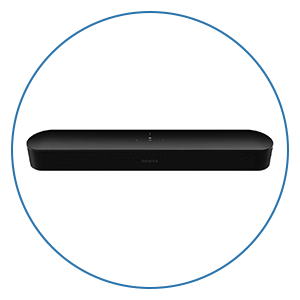
Physically, Beam Ultra maintains the familiar Sonos design, measuring just under 30 inches wide and approximately 2.6 inches tall. That's about four inches wider than Beam Gen 2, but it's still compact enough to fit comfortably under most TVs. There are also updated touch controls, a Bluetooth pairing button, and a perforated grille across the top for the new height drivers. The biggest changes are inside, where Sonos has redesigned the acoustic architecture with nine Class-D amplifiers powering nine drivers, compared with five active drivers in Beam Gen 2.

Here's what you get with Beam Ultra
  • 7.1.2 Dolby Atmos: Two dedicated upward-firing tweeters replace the virtualized height approach used by Beam Gen 2.
  • Wider Soundstage: Two horn-loaded side-firing tweeters help extend audio beyond the physical edges of the soundbar.
  • Stronger Bass: Four low-profile woofers deliver more weight and impact without requiring a separate subwoofer.
  • Clearer Dialogue: A redesigned center channel and four-level AI Speech Enhancement system make voices easier to understand.
  • Expanded Connectivity: Bluetooth 5.3, WiFi 6, and USB-C line-in or Ethernet options with optional adapters.

Dolby Atmos, Bass, and Dialogue Performance

The biggest improvement we noticed compared with Beam Gen 2 is how much larger Beam Ultra sounds. The physical height drivers give Dolby Atmos effects a more convincing sense of elevation, while the side-firing tweeters spread effects farther beyond the soundbar. When a movie has dialogue, music, and several sound effects happening simultaneously, there's better separation and a greater sense of space.

Of course, these are still reflected Atmos effects, so your room matters. Flat, unobstructed ceilings generally work best, and we recommend leaving the area above Beam Ultra open rather than placing it inside a tight cabinet. Sonos does include a Simulated Overhead Sound mode if the top of the soundbar must be obstructed, but we'd take advantage of the physical height speakers whenever possible.
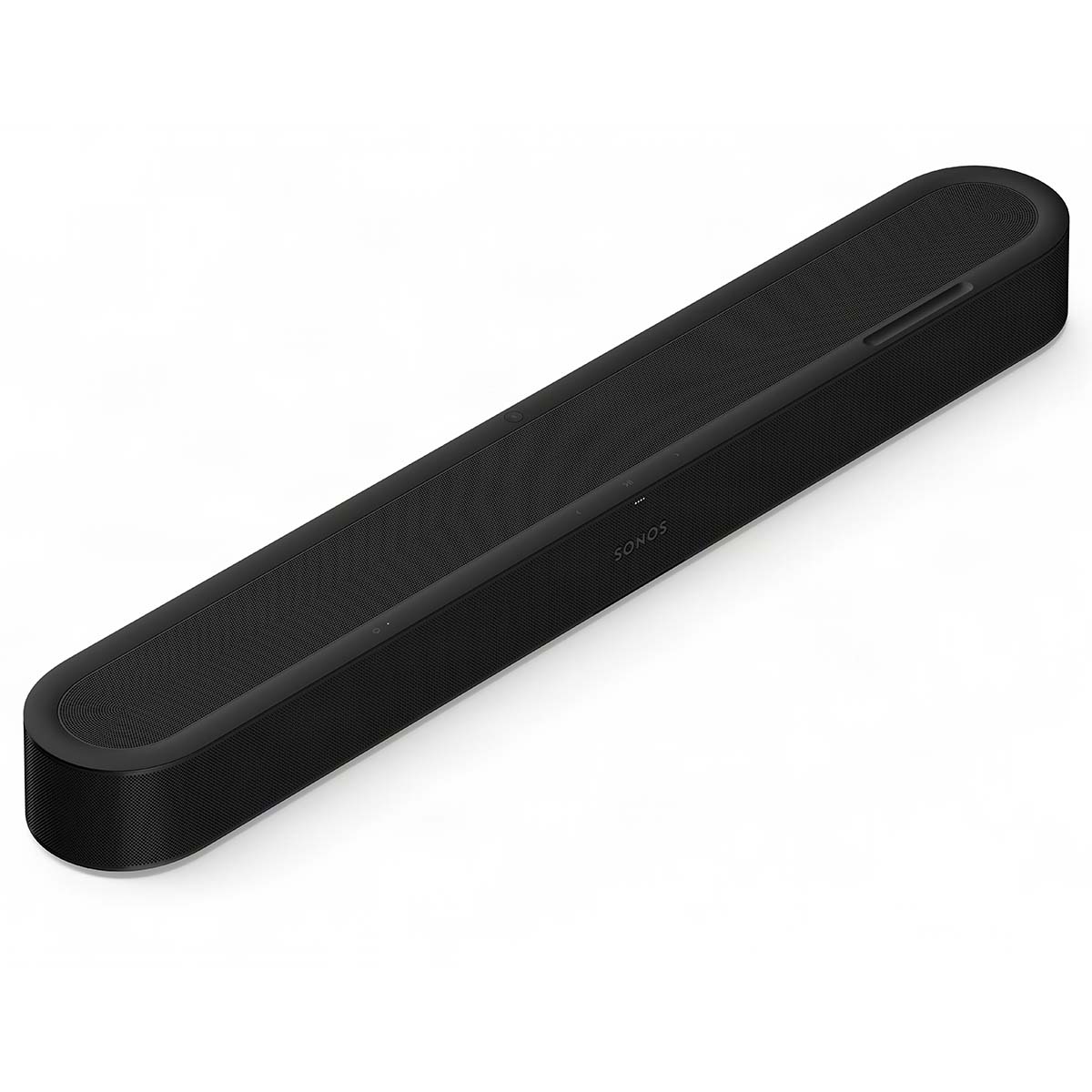
Bass is another substantial improvement. Beam Ultra doesn't use the Sound Motion woofer found in Arc Ultra, but its four low-profile woofers give movie soundtracks more weight, music more body, and dialogue a fuller presentation. We were particularly impressed by how complete Beam Ultra sounds without a subwoofer. In a smaller room, we would absolutely recommend listening to it on its own before assuming you need to add one.

Sonos has also improved the center channel and included the four-level AI Speech Enhancement system found on Arc Ultra. We like being able to choose how much dialogue enhancement is applied, rather than having a simple on/off setting. For most people, we'd recommend starting with Low or Medium and adjusting from there. Night Sound is also available for reducing loud effects during late-night viewing.

For music, Beam Ultra carries over those same improvements in bass, separation, and overall presentation. It won't replace a great pair of properly positioned stereo speakers for critical music listening, but as an all-in-one solution for TV, movies, and music, we think it performs extremely well.

<br>

Sonos Beam Ultra vs. Beam Gen 2 vs. Arc Ultra

With three soundbars in the lineup, choosing the right model comes down to your room size, budget, and how far you want to take the system.

 Beam Gen 2Beam UltraArc Ultra
Price$499$699$1,099
Active Drivers5914
Dolby AtmosVirtual heightPhysical height driversPhysical height drivers
BluetoothNoYesYes
Best ForSmaller rooms and valueSmall to medium roomsLarger rooms and maximum performance

Standard U.S. prices shown. Promotions may vary.

Beam Ultra vs. Beam Gen 2: This is a substantial improvement, especially in Dolby Atmos performance, bass, and soundstage width. If you're buying your first Sonos soundbar and can stretch your budget, we think Beam Ultra is worth considering. If you already own Beam Gen 2 and mainly use it for everyday TV, however, you don't necessarily need to upgrade unless you're looking for greater immersion and output.

Beam Ultra vs. Arc Ultra: Arc Ultra is still the better standalone soundbar. Its larger cabinet, additional drivers, and Sound Motion woofer produce a bigger presentation with more bass authority. For large rooms, bigger TVs, and higher listening levels, Arc Ultra remains our recommendation. But in smaller spaces, Beam Ultra gets surprisingly close in dialogue clarity and overall immersion, making the additional cost of Arc Ultra harder to justify for some listeners.

Our advice is to consider your room and seating distance rather than choosing solely based on TV size. And if you already own the original Arc, we wouldn't automatically swap it for Beam Ultra. The original Arc still offers a larger physical presentation, even though Beam Ultra introduces newer processing and dialogue features.

Sonos Beam Ultra in a home theater

Sonos Beam Ultra Setup and Connectivity

Beam Ultra continues Sonos's relatively straightforward setup process. Connect it to your TV's HDMI ARC or eARC port, complete setup through the Sonos app, and run Trueplay to optimize the sound for your room. Quick Trueplay is available on compatible iOS and Android devices, while Advanced Trueplay on supported Apple devices provides a more involved room measurement process.

There are a few important things to know before purchasing:

  • HDMI: One HDMI eARC/ARC connection with no HDMI passthrough. Your Apple TV, gaming console, or Blu-ray player connects to your TV first.
  • Audio Formats: Supports Dolby Atmos, Dolby TrueHD, Dolby Digital Plus, multichannel PCM, and standard DTS Digital Surround, but not DTS.
  • Wireless Music: WiFi 6, Apple AirPlay 2, Bluetooth 5.3, and Sonos Voice Control.
  • USB-C: Optional adapters provide analog line-in or wired Ethernet.
  • Wall Mounting: The existing Beam Gen 2 mount does not fit Beam Ultra, so you'll need the dedicated Beam Ultra mount.

<br>

For the best Dolby Atmos and lossless surround compatibility, we recommend using HDMI eARC and configuring your TV for audio passthrough when supported. If you watch a lot of Blu-rays with DTS soundtracks, the lack of DTS decoding is worth considering.

<br>

Sonos Portable Surrounds: Turn Two Play Speakers Into Rear Channels

This is one of the most interesting changes to the Sonos ecosystem, especially for people who have never wanted permanent surround speakers behind their couch.

With Sonos 27, you can now use two matching Sonos Play speakers or two Move 2 speakers as portable rear surrounds. After the initial setup, Sonos can automatically recognize when you've returned those speakers to their surround positions, determine which is left and which is right, and connect them to the soundbar in roughly eight seconds.

Imagine having one Sonos Play in your kitchen and another that you normally use outside on the patio. When it's time for a movie, you bring both speakers into your living room, place them behind the couch, and they become your rear surround channels. When you're finished watching, you can pick them back up and return them to wherever you normally use them.

That's much more practical for certain living spaces than having speakers permanently positioned behind the couch, especially when the living room serves multiple purposes.

<br>

Which Sonos Speakers Support Portable Surrounds?

Portable surrounds work with Beam Gen 2, Beam Ultra, the original Arc, and Arc Ultra. You need two matching speakers, either two Sonos Plays or two Move 2s, rather than mixing the two models.

A few important limitations are worth knowing:

  • Your soundbar's microphone must be enabled for automatic positioning to work.
  • Portable speakers must be in the same room with a suitable wireless connection to the soundbar.
  • Bluetooth, AirPlay, and line-in are temporarily unavailable while the speakers are operating as surrounds.
  • Only one portable surround pair can be configured per Sonos household at a time.

<br>

Sonos Play is particularly well-suited to this feature because it costs $299, offers up to 24 hours of battery life, includes a charging base, and has an IP67 waterproof and dustproof rating. It also uses Auto Trueplay to adjust its sound based on its surroundings, which is useful when the speakers aren't placed in exactly the same position every time.

<br>

Sonos Play vs. Era 100 vs. Era 300 for Surround Sound

We think portable surrounds are a great idea, but that doesn't mean they're automatically better than dedicated rear speakers.

If your speakers are going to stay behind the couch permanently, we'd generally recommend Era 100 for a compact surround system. If you want to maximize Dolby Atmos performance, Era 300 is the more capable option with its dedicated spatial audio design.

But if flexibility matters more, Sonos Play makes a strong case for itself. You aren't just purchasing rear surrounds. You're purchasing portable speakers that can also become part of your home theater whenever you need them.

Sonos Beam Ultra Soundbar

Building the Best Sonos Beam Ultra Home Theater System

One of the things we like most about Sonos is that you don't need to purchase your entire system at once. You can start with Beam Ultra and add components based on what your room actually needs.

Here are the combinations we'd recommend:

  • Best Simple Setup: Beam Ultra Alone. For bedrooms, apartments, or smaller living rooms, Beam Ultra already provides convincing Atmos effects, clear dialogue, and surprisingly satisfying bass. Start here and see whether you need anything else.
  • Best Value Surround System: Beam Ultra + Sub Mini + Era 100. This is one of our favorite balanced combinations. Sub Mini adds deeper bass, while Era 100 provides dedicated rear channels without taking up much space.
  • Best Flexible System: Beam Ultra + Two Sonos Plays. Ideal for multipurpose living rooms. You get rear surround sound when you want it, but the speakers can serve other purposes throughout the house.
  • Best for More Bass: Beam Ultra + Sub 4. If you have a larger room or want more demanding cinematic bass, Sub 4 offers greater low-frequency capability than Sub Mini.

<br>

Should you add a Sub or surround speakers first? It depends on what you want to improve. If you're missing deep bass and the physical impact of explosions or soundtracks, add a Sub. If you want sound effects to come from behind you and create a more convincing sense of being inside the movie, surrounds will make the bigger difference.

And if you already own two compatible Sonos portable speakers, trying them as surrounds is an especially compelling way to expand your home theater without purchasing speakers that only serve that purpose.

Sonos Ace Ultra Image

Sonos Ace Ultra: How the New Headphones Fit Into the Ecosystem

The new Sonos Ace Ultra headphones take a slightly different approach than Beam Ultra. While Beam Ultra introduces substantial acoustic changes, Ace Ultra builds on much of what made the original Ace successful while improving sound quality, noise cancellation, battery life, and integration with other Sonos products.

At $449, Ace Ultra costs $100 more than the original Ace. The upgrades include new Sonos-designed 40mm drivers, ten microphones, Adaptive EQ, more detailed EQ adjustments, improved noise cancellation, and up to 35 hours of battery life with ANC enabled. (Pricing as of October 2026)

Sonically, Ace Ultra retains the smooth, balanced character we liked from the original Ace, but bass has a little more weight and control, and the presentation feels more refined. Sonos has also improved ANC, claiming up to twice the noise cancellation of the original Ace at frequencies up to 65Hz. That improvement is especially useful for steady, low-frequency sounds such as airplane cabin noise and HVAC systems.

We also appreciate that the ear cushions and battery are replaceable, giving owners a way to extend the life of their headphones rather than replacing them when those components wear out.

But for existing Sonos customers, the most interesting changes are the new system features.
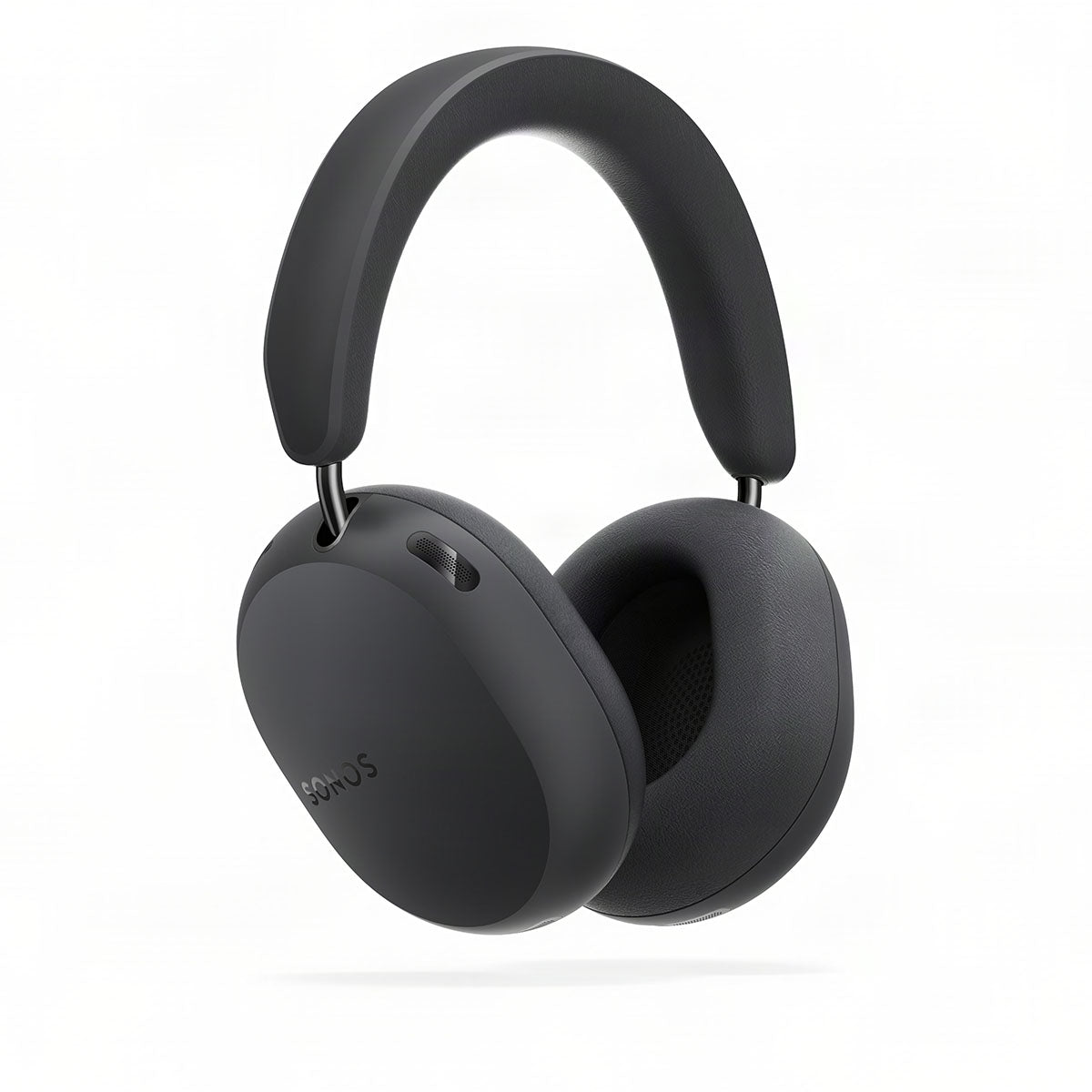
TV Audio Swap: Private Dolby Atmos Home Theater

TV Audio Swap lets you transfer audio from a compatible Sonos soundbar directly into Sonos headphones. This means you could be watching a movie through Beam Ultra with a Sub and rear surrounds, then move the audio into Ace Ultra when everyone else goes to bed.

Ace Ultra supports Dolby Atmos, dynamic head tracking, and TrueCinema, which uses information from your room and compatible soundbar to help create a more convincing virtual home theater presentation. Sonos also supports two compatible headphone pairs in a TV Audio Swap session, allowing two people to watch privately.

This is one of our favorite practical features in the Sonos ecosystem. You can enjoy your TV at a comfortable volume without disturbing the rest of the household, and you don't have to switch to basic stereo headphone audio.

<br>

Headphone Linking: Moving Music Between Sonos Speakers and Ace Ultra

One limitation of the original Sonos Ace was that, outside of TV Audio Swap, it behaved much like a traditional Bluetooth headphone. Ace Ultra changes that with new hardware called Headphone Engine 2, which enables Headphone Linking.

With Headphone Linking, you can press and hold the Content Key to transfer supported music that's playing on a compatible Sonos speaker into Ace Ultra. Press it again and you can send the audio back to a nearby speaker. You can also select Ace Ultra directly within the Sonos app to start compatible music playback.

It's a useful concept, but there are limitations. Headphone Linking currently operates as an Early Access feature, requires WiFi, and supports high-quality compressed stereo rather than lossless or spatial audio. Bluetooth, AirPlay, and audio initiated through certain direct-control services aren't supported through Headphone Linking.

We see this as an important step toward making Sonos headphones feel like a more integrated part of the system. It's not fully developed yet, but it gives Ace Ultra a stronger reason to exist for someone who already has Sonos speakers throughout the house.

<br>

Is Ace Ultra Worth Upgrading From the Original Ace?

If you already own the original Sonos Ace and are happy with them, we don't think there's a compelling reason to upgrade immediately. The original headphones still sound very good and support TV Audio Swap.

If you're purchasing your first pair, however, we'd lean toward Ace Ultra if your budget allows. The improved ANC, longer battery life, Adaptive EQ, and replaceable components are worthwhile upgrades, while Headphone Linking provides additional functionality for Sonos system owners.

Our Verdict: Is Sonos Beam Ultra Worth It?

After spending time with Beam Ultra, we think Sonos has created a genuinely compelling middle option in its soundbar lineup. The improvement over Beam Gen 2 is substantial, particularly in Dolby Atmos performance, soundstage width, bass, and dialogue clarity. It is still not as powerful or expansive as Arc Ultra, but for small to medium-sized rooms, it delivers a lot of performance without requiring a much larger soundbar.

The Beam Ultra isn't inexpensive, and there are competing soundbar packages that include a subwoofer or rear speakers for similar money. But Sonos offers something different with its expanding ecosystem. You can start with the soundbar, add a Sub when you're ready, bring portable speakers into the room as surrounds, and use Ace Ultra headphones when private listening makes more sense.

And that's what we think is most exciting about this generation of Sonos products. With Sonos 27 and its underlying Sonos Fabric technology, speakers and headphones are becoming more flexible in how they work together. Your portable speakers don't need to remain rear surrounds permanently, and your headphones can become a more connected part of the whole-home music experience.

Our recommendation: If you're buying your first Sonos soundbar and want something more capable than Beam Gen 2 without stepping up to Arc Ultra, Beam Ultra is an excellent choice. If you already own Beam Gen 2 and mainly watch everyday TV, there's no need to rush into an upgrade. But if you're looking for more convincing Atmos, stronger bass, and a soundbar you can build a more immersive system around, Beam Ultra is well worth considering.

<br> <hr> <br>

We’re Here to Help!

If you have further questions, contact our experts via chat, phone, or email. Or simply visit one of our world-class showrooms to experience speakers, projectors, TVs, and everything in between for yourself before you make a purchase!

If you’re planning your home theater or media room, check out our Home Theater Design page, where we have everything Home Theater related, including our FREE Home Theater Design Tool.

When you buy from Audio Advice, you’re buying from a trusted seller since 1978. We offer Free Shipping, Lifetime Expert Support, and our Price Guarantee. We look forward to serving you!

Frequently Asked Questions

Does Sonos Beam Ultra need a subwoofer?

No. Beam Ultra delivers satisfying bass on its own, especially in smaller rooms. Adding Sub Mini or Sub 4 provides deeper bass and greater cinematic impact, but we recommend starting with the soundbar and deciding whether you need more.

Can Sonos Play speakers work as rear surrounds with Beam Gen 2?

Yes. A matching pair of Sonos Play or Move 2 speakers can function as portable surrounds with Beam Gen 2, Beam Ultra, Arc, and Arc Ultra when running compatible software.

Does Sonos Beam Ultra support DTS?

No. Beam Ultra supports standard DTS Digital Surround but not DTS. It supports Dolby Atmos, including Dolby TrueHD-based Atmos through compatible HDMI eARC connections.

Can two people listen to TV audio using Sonos headphones?

Yes. Sonos supports up to two compatible Sonos headphones in a single TV Audio Swap session, allowing two people to listen privately.

Does Sonos Ace Ultra Headphone Linking work with the original Ace?

No. Headphone Linking requires the hardware introduced with Ace Ultra. The original Sonos Ace continues to support TV Audio Swap with compatible Sonos soundbars.