













HDMI 2.0 vs. HDMI 2.1: What’s the Difference?

When building or upgrading a home theater or media room, one of the most important but often overlooked decisions you’ll make comes down to the type of HDMI connection your gear supports. At a glance, HDMI 2.0 and HDMI 2.1 may seem like incremental versions of the same thing, but under the hood, they offer very different capabilities. In this article, we’re going to break down everything you need to know about HDMI 2.0 vs HDMI 2.1, explain what each version can and can’t do, and show you why this matters when selecting AV receivers, displays, and source devices for your home theater or media room.
A Quick HDMI History
What It Is and How It's Evolved
When it comes to gaming, both the PlayStation 5 and Xbox Series X are HDMI 2.1 devices capable of outputting 4K at 120 frames per second. This higher frame rate isn’t just a numbers game. It results in smoother motion, quicker on-screen response, and a more immersive experience, especially in fast-paced games like first-person shooters, racing sims, and competitive titles where every millisecond counts. To take advantage of 120 fps, your TV or AVR needs to support HDMI 2.1. If not, your console will default to 4K at 60Hz, and you’ll miss out on one of the core performance benefits of next-gen gaming.
HDMI 2.1 also introduces features like Variable Refresh Rate and Auto Low Latency Mode. Variable Refresh Rate allows your display to adapt its refresh rate in real-time to match the frame rate of your game. This eliminates screen tearing and stuttering, providing a smoother experience during gameplay. Auto Low Latency Mode allows your source device to automatically switch your display into its low-latency game mode, reducing input lag. These features are only available through HDMI 2.1 connections and make a substantial difference for gamers who want the best possible performance.
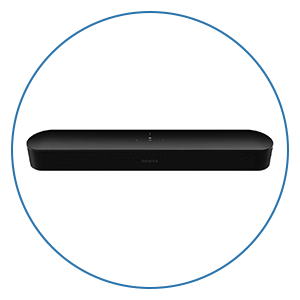
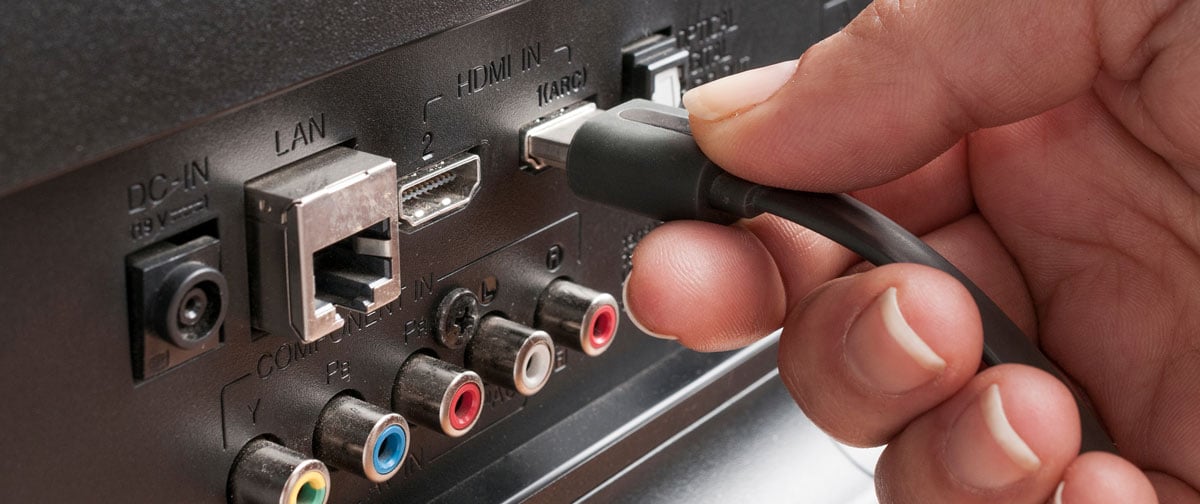
Another major advantage of HDMI 2.1 is the introduction of eARC, or Enhanced Audio Return Channel. ARC has been around since HDMI 1.4 and allows your TV to send audio back to your AVR or soundbar over the same HDMI cable. But traditional ARC has limited data capacity and can’t transmit the highest-quality lossless audio formats. eARC, on the other hand, has enough throughput to support uncompressed multichannel audio, including Dolby TrueHD and DTS:X, the formats often used for immersive surround sound. This means you can use your TV’s built-in apps or connect sources directly to your TV and still get full-resolution audio sent back to your receiver.
The Truth About HDMI Cables
Next, let’s talk about HDMI cables and why their quality matters more than you might expect. Even though HDMI is a digital connection, it depends on several sensitive analog processes behind the scenes. Power negotiation between source and sink, clock synchronization, and handshake protocols like HDCP and EDID all rely on precise electrical signaling. As transmission rates increase with HDMI 2.1, the margin for error gets smaller. The clock channel, in particular, must remain perfectly synchronized. If it falls out of sync, you may end up with no signal at all.
This is one reason why even certified Ultra High Speed HDMI cables can occasionally lead to black screens or handshake problems, especially when the cables are very short or very long. But the cable itself isn’t always the only factor. Not every HDMI 2.1 port delivers the full range of features. Some TVs, especially more affordable models, may advertise HDMI 2.1 compatibility but only support a limited subset of capabilities. In many cases, you might get eARC for improved audio, but the video signal could still be restricted to HDMI 2.0-level performance. If you want to take advantage of features like 4K at 120Hz or Variable Refresh Rate, it’s important to check your TV or AVR specifications to confirm support for the full 48 Gbps data rate.
It’s also helpful to clarify a common misconception. There’s no such thing as an “HDMI 2.1 cable.” HDMI version numbers apply to the devices themselves, not the cables. What you want to look for is an “Ultra High Speed Certified” label, which means the cable has been tested to handle the full 48 Gbps data rate required for HDMI 2.1 features.
As signal demands grow, both cable quality and length play a larger role in system reliability. For cable runs longer than 10 feet, even a certified Ultra High Speed copper cable might not be enough to keep things stable. In these cases, high-quality options from trusted manufacturers like AudioQuest and Bullet Train are much more likely to deliver consistent results.
Both AudioQuest and Bullet Train are well-established, reputable brands. Whether you choose one of their premium active optical HDMI cables or a more affordable option in their lineup, you can expect reliable performance and consistent build quality.
AudioQuest, known for making high-performance cables, offers active optical HDMI models like the Cherry Cola 48. These use fiber optics to carry high-data-rate signals over long distances without needing external power. They also include noise-reduction technologies to help maintain clean audio and video signals, even in challenging setups.
Bullet Train takes a similar approach with its Active Optical Cables, designed for reliable performance in demanding environments. Their cables use a mix of fiber optics and copper for better durability and lower latency, and they're certified for accurate color and image quality.
If even these advanced cables don’t deliver a stable connection, HDMI Cable Power solutions are a growing option. These cables can draw extra power through USB to keep signals strong, and as more devices support this feature natively, it should become an even easier solution.
Of course, even with the right cables in place, your system settings play a critical role in unlocking all the benefits of HDMI 2.1. Many modern AVRs include a setting to toggle between Standard and Enhanced HDMI modes. Standard mode caps the video signal at lower data rates, while Enhanced unlocks the full capabilities for HDR and high-frame-rate content. Most TVs also require you to manually enable eARC or adjust digital audio output settings. Depending on the brand, this setting might be in an advanced menu. For the best results with eARC and Dolby Atmos, set your TV to output bitstream or passthrough, and ensure formats like Dolby Atmos are turned on.
Do You Really Need HDMI 2.1?
So how do you know if you need HDMI 2.1? If your home theater or media room is focused on watching movies and TV in 4K HDR at 60Hz, HDMI 2.0 will probably be sufficient for now. Most streaming services and Ultra HD Blu-rays use 4K60 signals, and HDMI 2.0 is more than capable of handling that. However, if you’re gaming on a next-gen console, plan to upgrade to an 8K display, or want to make sure your setup is ready for any future content formats, HDMI 2.1 is the clear choice.
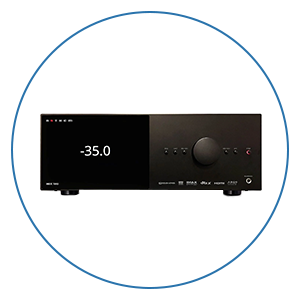
Where this really matters is when you’re shopping for an AV receiver. Your AVR acts as the hub of your system, passing video to your display and routing audio to your speakers. If you have HDMI 2.1 sources like a PS5 or Xbox Series X, and your AVR only supports HDMI 2.0, you won’t be able to take full advantage of your source device. You might still get video and sound, but not at the full resolution, frame rate, or audio quality possible.
Another area where HDMI versions can make or break a system is with HDR formats. While HDMI 2.0 supports static HDR like HDR10, HDMI 2.1 adds support for dynamic HDR formats like Dolby Vision and HDR10+. These formats adjust the brightness and color range on a scene-by-scene or even frame-by-frame basis, which can dramatically improve picture quality if your source and display both support it. Some manufacturers found ways to bring Dolby Vision to HDMI 2.0 devices using custom implementations, but full compliance and performance come easier and more reliably through HDMI 2.1.
Even if you’re not ready to use every advanced feature today, choosing HDMI 2.1-capable gear can help you future-proof your setup. AV receivers, TVs, and sources that support HDMI 2.1 are already common in 2025, and as content continues to evolve, having that extra throughput and feature set ensures you won’t be limited later on. AVRs are not something most people upgrade frequently, so getting one with HDMI 2.1 ensures it won’t become the weakest link in your system as your other gear evolves.
In the end, HDMI 2.0 is still a very capable format for many current setups. Most streaming platforms, 4K Blu-rays, and cable sources still operate comfortably within the 18 Gbps data rate, especially at 4K 60Hz. For typical movie and TV viewing, HDMI 2.0 often delivers all the performance you need.
However, the increased data demands of HDMI 2.1 can sometimes reveal weaknesses in systems that were previously stable. We’ve seen theaters that worked flawlessly with HDMI 2.0 start to experience signal dropouts or handshake issues after adding just one HDMI 2.1-capable component to the chain. This happens because HDMI 2.1 pushes far more data, and older cables or marginal connections that handled HDMI 2.0 without issue can suddenly become unreliable. In some cases, stabilizing the system means turning off specific HDMI 2.1 features in component menus, or even forcing devices to operate in HDMI 2.0 mode. Other times, the only solution is upgrading to a newer, certified cable.
Outside of gaming and a few specific use cases, many consumers won’t immediately benefit from HDMI 2.1’s higher throughput. So while it’s smart to future-proof your system when possible, it’s just as important to make sure your existing gear and cables are ready to support the increased demands that come with it.
That said, as gaming, video formats, and audio capabilities continue to advance, HDMI 2.1 is rapidly becoming the new standard for anyone serious about home theater or media room performance. Whether you’re watching movies in Dolby Vision, gaming at 4K 120Hz, or using your TV as a hub for all your sources, having HDMI 2.1 ensures you’re getting the most out of your gear. And when choosing an AVR, TV, or source component, understanding what each HDMI version supports will help you build a system that not only works today but is ready for whatever comes next.
We’re Here to Help!
If you have further questions, contact our experts via chat, phone, or email. Or simply visit one of our world-class showrooms to experience speakers, projectors, TVs, and everything in between for yourself before you make a purchase!
If you’re planning your home theater or media room, check out our Home Theater Design page, where we have everything Home Theater related, including our FREE Home Theater Design Tool.
When you buy from Audio Advice, you’re buying from a trusted seller since 1978. We offer Free Shipping, Lifetime Expert Support, and our Price Guarantee. We look forward to serving you!


